If links are not showing in the left side on this page, then follow these steps.
01. Close all the internet explorers being opened by you.
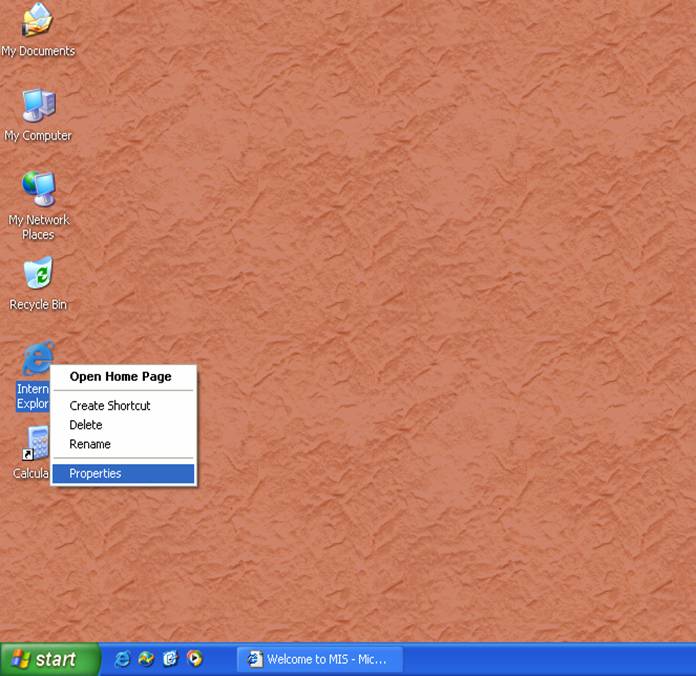
02. Then right click on internet explorer icon that is shown on your window desktop.
03. Select the properties option of the selection menu.
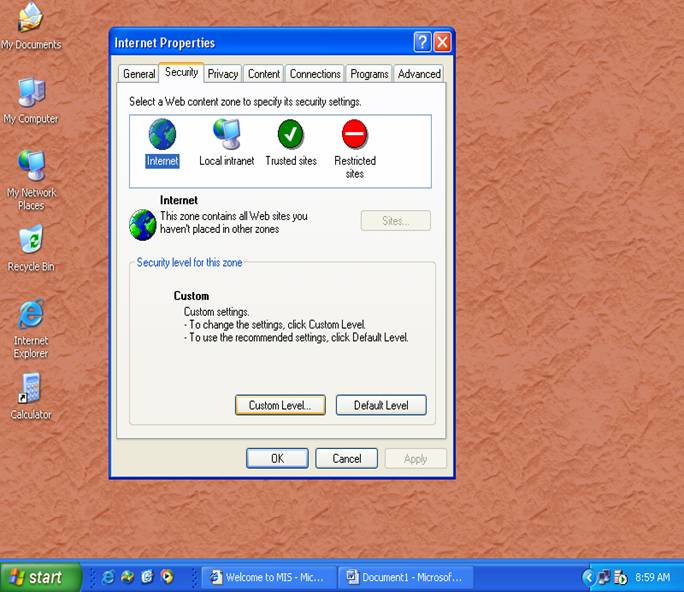
04. After clicking on the properties option, you will see the following window. In this window you will see some options (like General, Security, Privacy …….etc.). among them choose the security option and then click on the custom level.
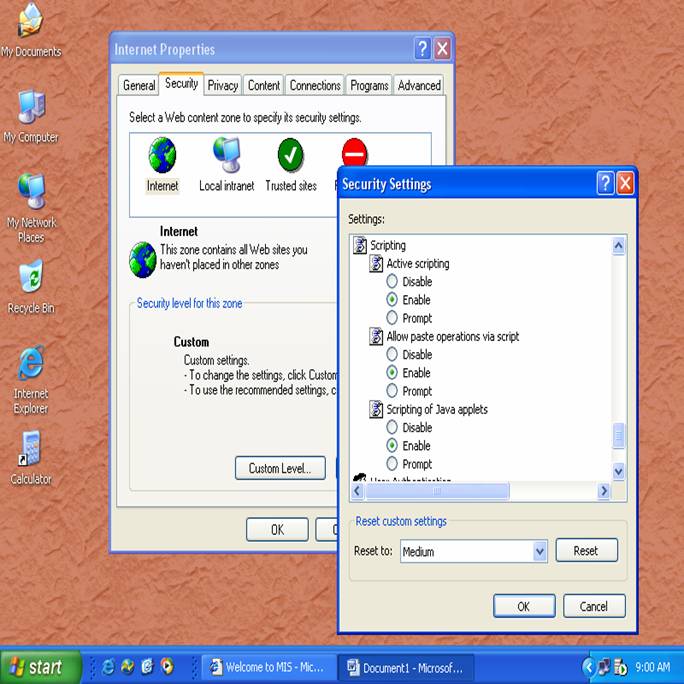
05. After clicking on the custom level, a new window will open named security settings. There are many settings of the security (like ActiveX controls, Downloads and etc…..). There is an option named “scripting”. Select the Enable option of all this “scripting” (script settings).
06. In the next step select the trusted sites then click on the sites…. button. After the clicking this button there will show a new window that name is trusted sites. You should write the Del E site address that is (“http://edudel.nic.in “). And then click on “ADD”, ””OK”
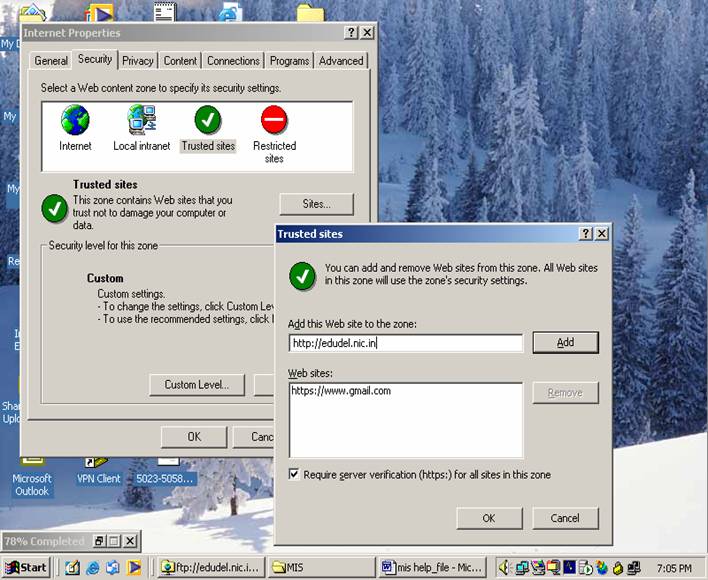
Finally click on “OK” then “Apply” and “OK”. And start Working.
Thanking You
(Del E TEAM)